 Daybreak
Time-block your day.
Right in your browser.
A no-signup planner that visualizes your day across multiple tracks — sleep, work, exercise, meals. Drag to plan. Resize to adjust. Save schedules you reuse week after week.
What it Does
Intuitive manipulation
Click and drag to place blocks, grab edges to resize, arrow keys to nudge. No forms, no menus — just direct interaction.
Multi-track
Stack tracks for Sleep, Work, Exercise, Meals — whatever splits cleanly. Toggle each on or off.
Local & private
No signup. No account. Your schedule lives in your browser. We never see it.
Browser notifications
Soft tones and popups when a block starts or ends. Silence the whole day with one tap.
Saveable templates
Save a schedule as a template and assign it to specific days of the week. Override any day without losing your template.
Keyboard-friendly
Arrow keys to move and resize, Enter to confirm, Escape to cancel. Use it without ever touching your mouse.
See it in action
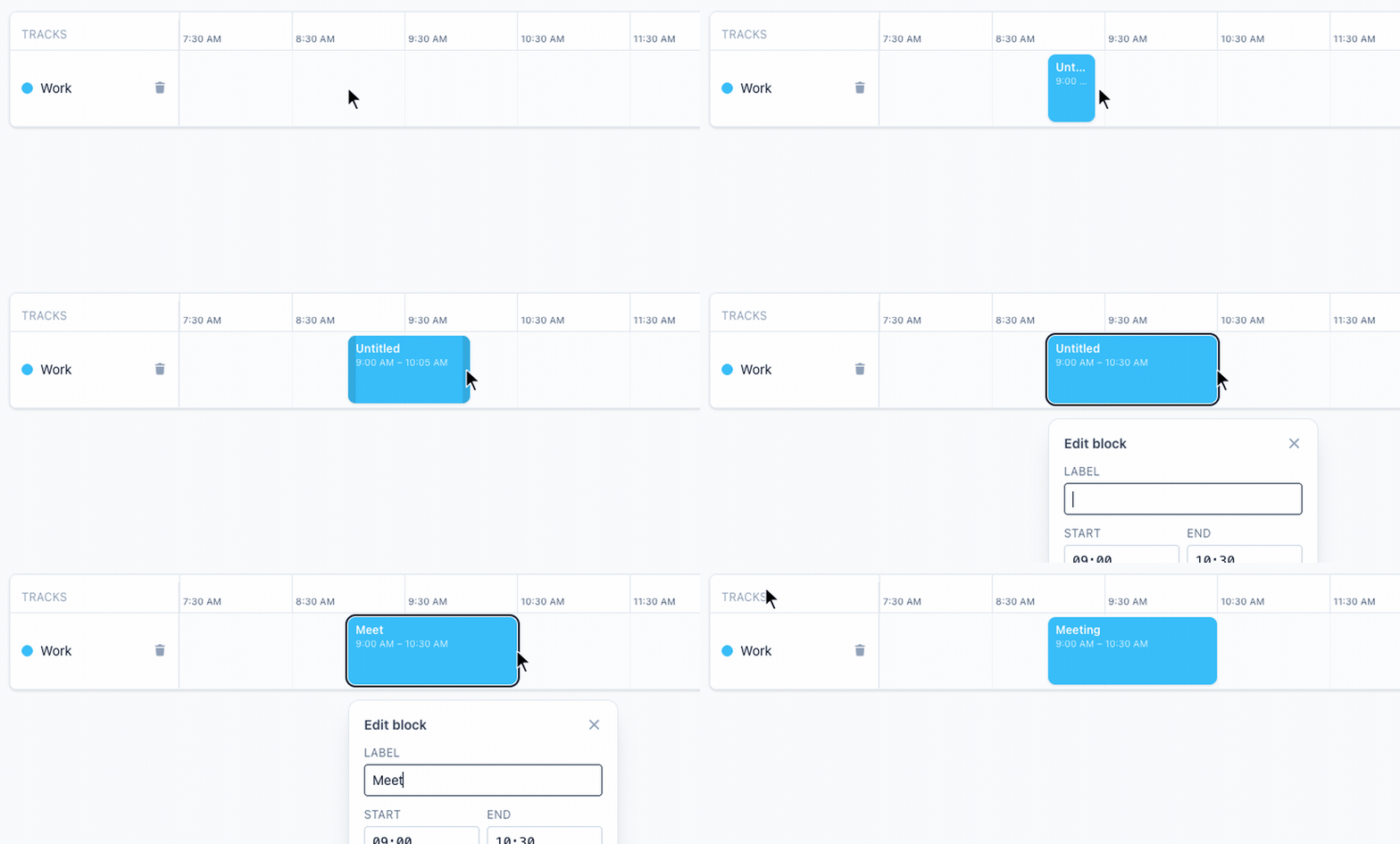
Create blocks by dragging
Click and drag on any empty space to create a time block. Type a name and it locks in.
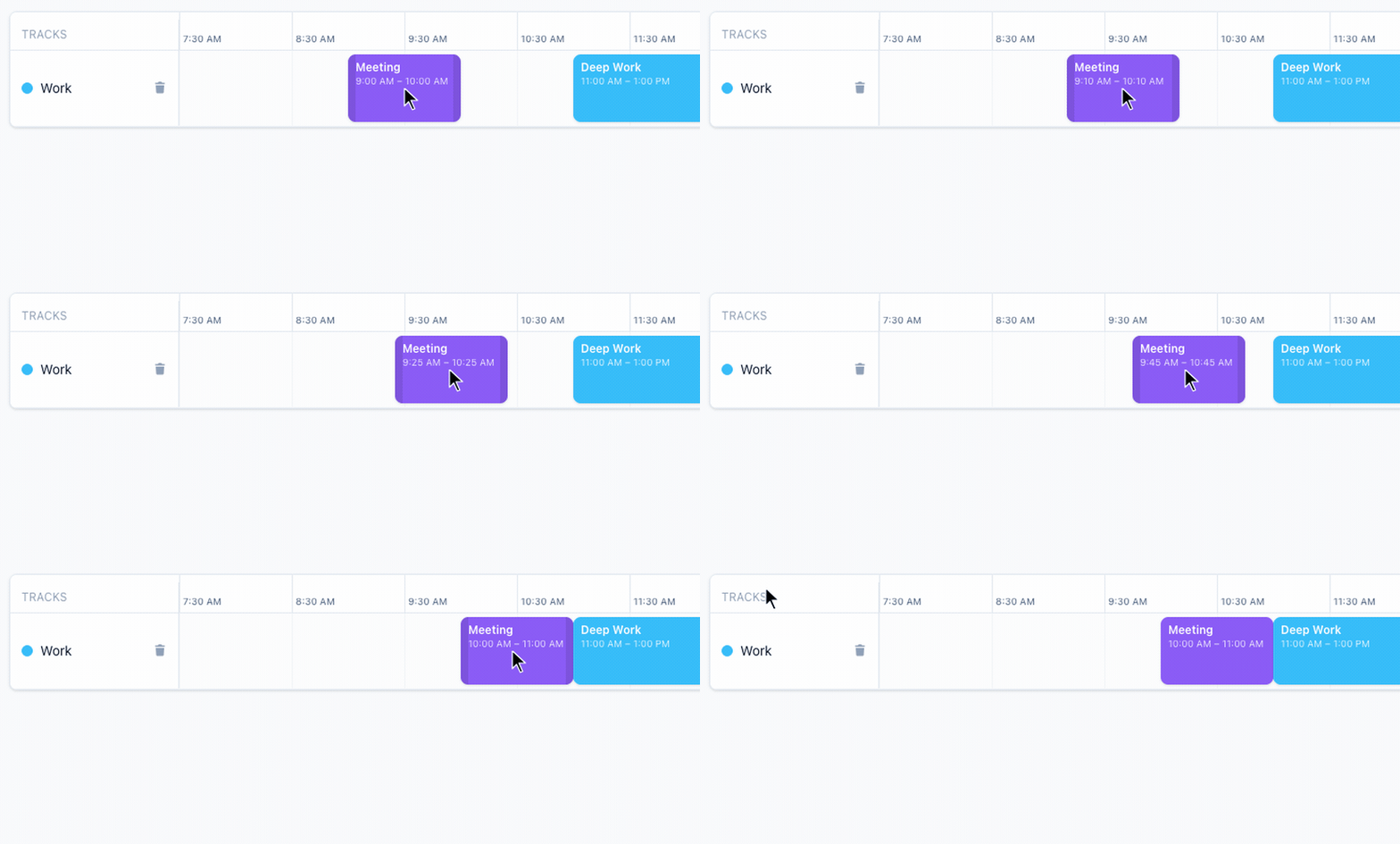
Drag to rearrange
Grab any block and drag it to a new time slot. Everything snaps to your grid.
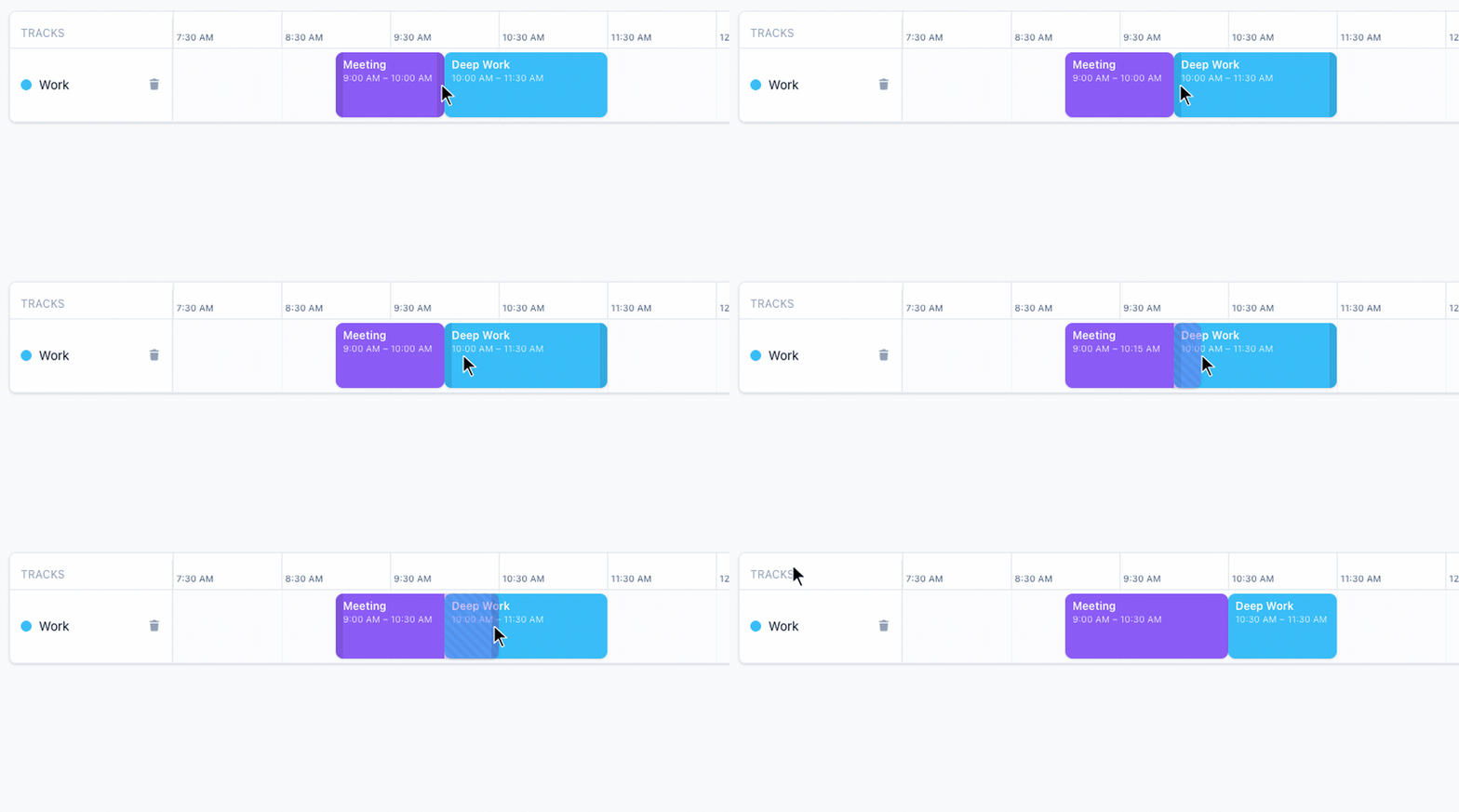
Resize and push
Drag the edge of a block to resize it. Hold into a neighbor to push it out of the way.
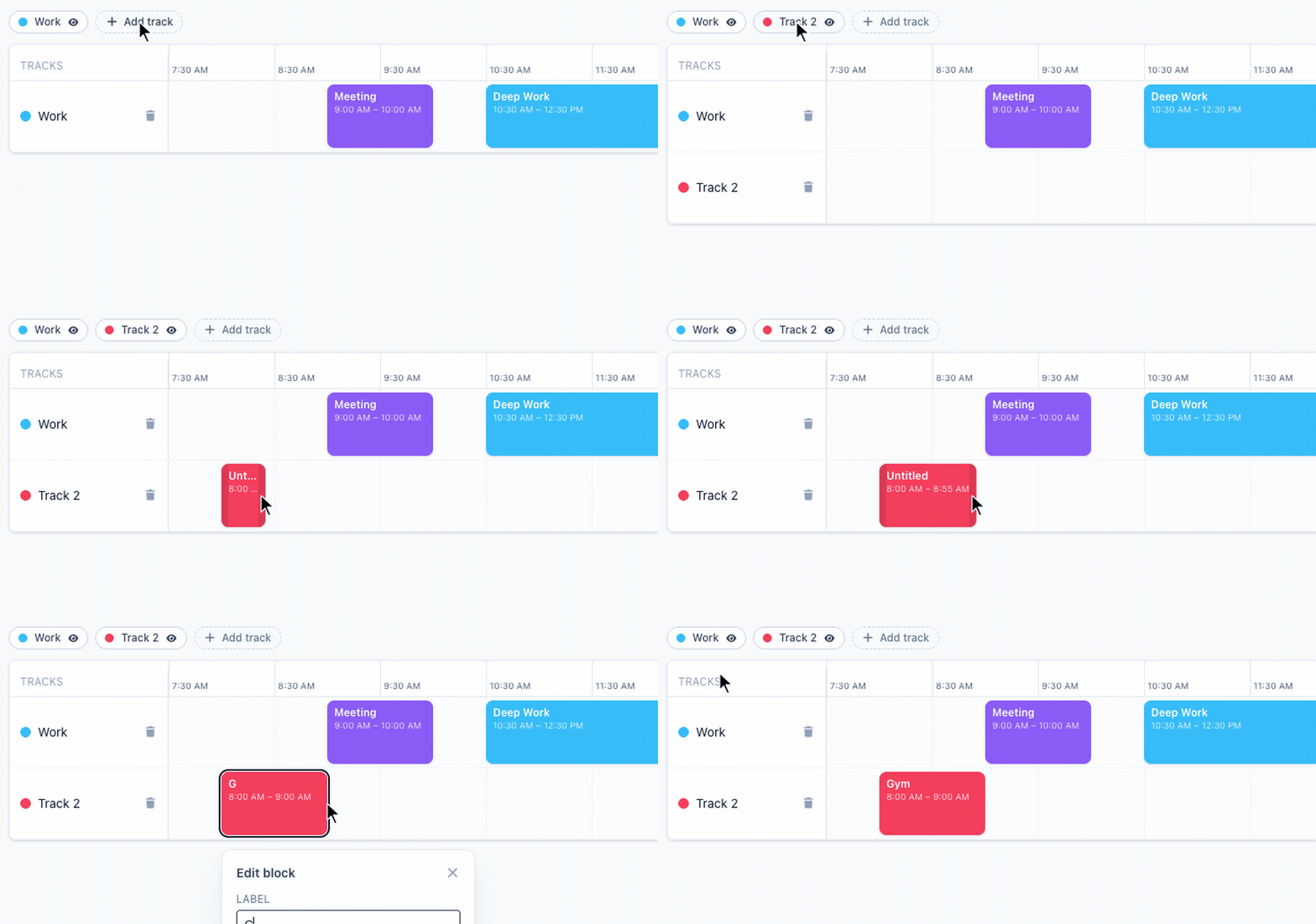
Organize with tracks
Add tracks to separate categories — Work, Home, Exercise. Toggle any track on or off.
How it works
- 1
Open the app
No signup. Just click below and it loads in your browser.
- 2
Block out your day
Drag on empty space to create a block. Drag a block to move it. Drag the edges to resize.
- 3
Set it once, reuse it
Save a schedule as your Weekday template. Override just today when life happens. Daybreak handles the rest.
FAQ
- Do I need an account?
- No. Daybreak runs entirely in your browser. Your schedules are stored locally on your device.
- Will my schedule sync across devices?
- Not yet. Logins and cross-device sync are on the roadmap and will stay free. Today, each browser is its own copy.
- How are notifications sent?
- Via your browser. Daybreak plays a sound and shows a system popup when a block starts or ends — only if you grant permission.
- Is it free?
- Yes. No paid tier, no ads. If you find it useful and want to support it, send feedback through the widget.
- Where do I report a bug or request a feature?
- Use the Feedback button at the bottom-right. It sends straight to the maintainer.